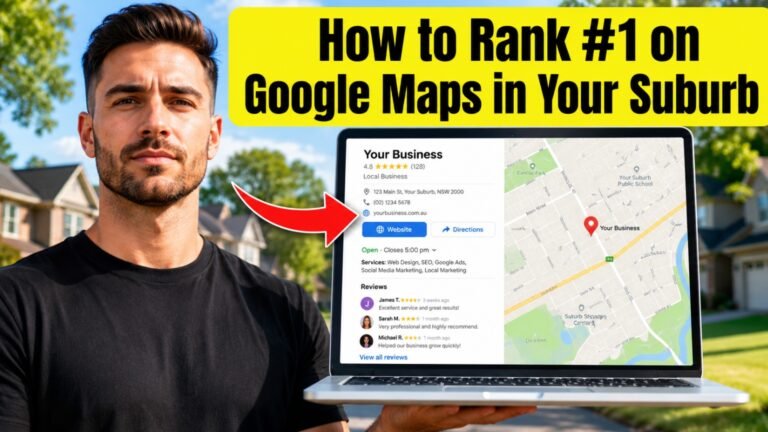
A Google Business Profile is one of those things that sounds simple but trips up a lot of business owners in the details. Get it right, and it becomes one of the most reliable sources of new customers your business has. Get it wrong, and you might be invisible to people searching right around the corner from you, without ever realising why.
Here’s a practical walk-through for setting one up properly in 2026, along with the small details that often get overlooked.
Step One: Search for Your Business First
Before creating anything new, search for your business name on Google Maps. Sometimes a profile already exists, created automatically by Google from old directory data, even if you’ve never set one up yourself. If you create a brand new listing without checking, you can end up with duplicates, which confuses both customers and Google about which one is correct.
If you find an existing listing, claim it instead of starting fresh, and there’s truly nothing there, go ahead and create a new profile.
Step Two: Get Your Business Details Exactly Right
This is the part where small mistakes cause big problems down the line.
Your business name should be your actual, real-world business name, exactly as it appears on your signage and paperwork. Adding extra keywords to your business name (like “Sydney Plumbing Experts – 24/7 Emergency Service”) might seem like a clever way to rank for more searches, but Google actively penalises this, and it can get your listing suspended.
Your address needs to match what’s on your website and any other place your business is listed online. If you’ve moved premises recently, make sure the old address isn’t still floating around on old directory sites.
For phone numbers, use a local number where possible rather than a tracking number from a third-party service, since consistency between your website and your profile matters.
Step Three: Choose Categories Thoughtfully
Your primary category should be the most accurate description of your core business. A business that does multiple things, say, a salon that also sells beauty products, can add secondary categories, but the primary one should reflect what most customers are looking for when they find you.
Avoid the temptation to add every category that’s loosely related. A narrower, accurate set of categories tends to perform better than a broad scattergun approach, because it helps Google match your business to the right searches.
Step Four: Verification
Google will need to verify that you’re the legitimate owner of the business at that location. Depending on your business type, this might happen through a phone call, an email, or a postcard sent to your business address. In some cases, particularly for newer businesses or certain categories, video verification has become more common, where you show your business location and signage through a short video call.
This step can feel slow, but it’s worth being patient and accurate here. Rushing or using a virtual address that doesn’t reflect where you actually operate can cause verification issues that are frustrating to sort out later.
Step Five: Fill In Every Section, Properly
Once verified, take the time to fill in every relevant section rather than leaving it half done.
Hours should reflect your actual hours, including any seasonal changes or public holiday adjustments. Sydney businesses often forget to update these around long weekends or Christmas and New Year, which leads to frustrated customers turning up to a closed shop.
Services or products should be listed clearly, using the same language your customers would use, not internal jargon. If you’re a physio, list things like “sports injury treatment” or “post-surgery rehab” rather than just generic terms.
Photos should be genuine and updated regularly. A photo of your actual shopfront, your team, your workspace, or your product helps customers recognise your business in real life and builds trust before they even contact you.
Business description is your chance to explain, in plain language, what you do and who you do it for. Mention your suburb and the surrounding areas you serve naturally within this description.
Step Six: Turn On Messaging and Q&A, But Only If You’ll Use Them
Google Business Profile allows customers to message you directly and ask questions that appear publicly on your listing. These features can be genuinely useful, but only if you’ll actually respond. An unanswered message or an old, unanswered question sitting on your profile can look worse than not having the feature at all.
If you switch these on, make sure someone on your team checks them regularly, ideally daily.
Step Seven: Make Reviews Part of Your Routine
Once your profile is live, reviews become one of the most important ongoing factors. Rather than treating this as a one-time push, build it into how you naturally interact with customers. A simple, polite ask after a positive interaction, in person, by text, or by email, tends to work better than automated blanket requests sent to everyone regardless of their experience.
Equally important is responding to reviews as they come in. A short, genuine reply, whether the review is glowing or critical, shows that your business is active and that real people are paying attention.
A Quick Note on Keeping It Updated
A Google Business Profile isn’t a “set and forget” task. Treat it the way you’d treat the front window of your shop, something you check on regularly, update when things change, and keep looking fresh. Businesses that post updates occasionally, refresh their photos, and keep their information accurate tend to be favoured over listings that have sat untouched for years.
Setting this up properly takes a bit of time upfront, but for most local businesses in Australia, it remains one of the most valuable things you can do online, and unlike many other forms of marketing, it keeps working for you quietly in the background, every single day.